
Real-time C++ graphics running in your browser, built on the libcvc cvcGL scene graph — hosted by CyberPC Angel.
cvcGL is libcvc's Qt-free scene graph: a reactive tree of
geometry, volume and grid nodes over cvc::state, rendered by VTK.
The same C++ example programs that open a desktop window compile, unchanged in
any structural way, to WebAssembly — VTK 9.5's Emscripten backend renders into
a WebGL2 canvas, and the browser build of each example lives on this site.
Examples
terrain_lab
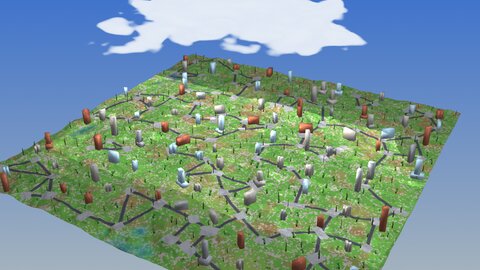
See what the L-system world generator produces: terrain coloured by its own per-cell material (or risk / occupancy / height), trees, rocks and buildings grown from the built-in L-system recipes, a baked street network wrapping paved plazas, volumetric water filling the valleys, and a drifting cloud. Tune the generator live — seed, species counts, tree generations, relief and water level. 100% procedural; no assets are downloaded.
run it →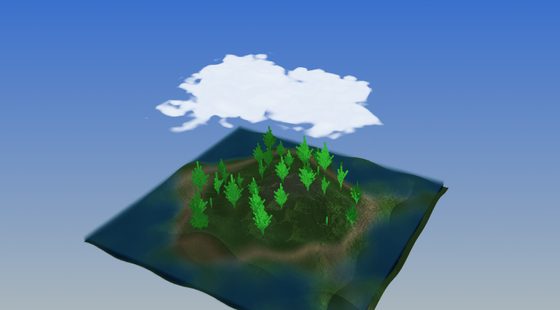
lsystem_forest
An island you can fly over: L-system-grown trees swaying in the wind (procedural bark, merged to two actors), a travelling-wave sea and a drifting L-system + fBm cloud volume — both GPU ray-cast — shadow maps, and a quaternion orbit/fly camera. 100% procedural; no assets are downloaded.
run it →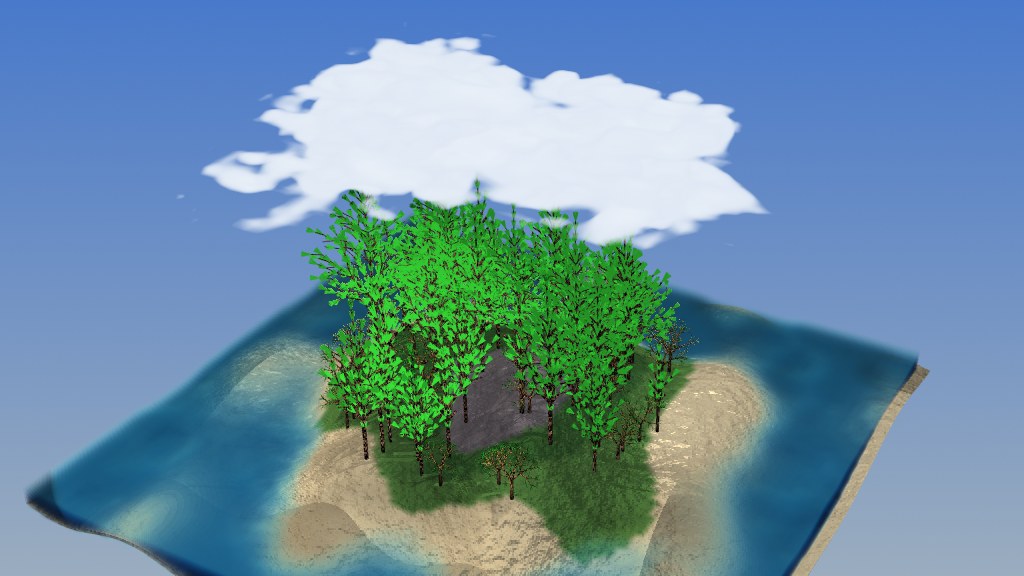
lsystem_forest_ari
The same forest island, rebuilt in the Ariadne UI DSL: the
heightfield terrain, its sand/grass/rock bands, the sky gradient, lighting rig
and shadows are all declared in one .ari document on the reusable
scene capabilities — no demo-specific C++. The procedural pieces are custom
scene nodes the host registers: the L-system trees (the original conifer
and a new branchy species), the travelling-wave sea and the drifting
cloud sky. The pines sway in the wind and the cloud shadows the ground.
lsystem_coast
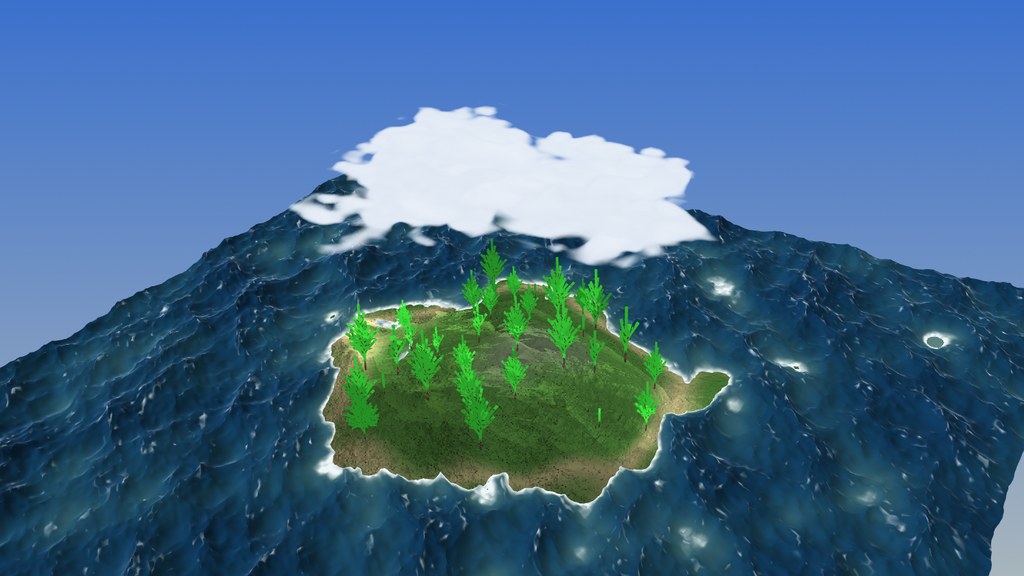
The forest island, now afloat on a real sea: a three-cascade JONSWAP spectral ocean solved entirely on the GPU — a Cooley–Tukey butterfly IFFT run as fragment-shader ping-pong (a port of ABYSSAL) — with choppy crests, Jacobian-fold whitecaps and foam that washes up the beach, plus translucent shallows over the seabed. Same L-system trees, drifting cloud volume, shadows and fly camera. 100% procedural; no assets are downloaded.
run it →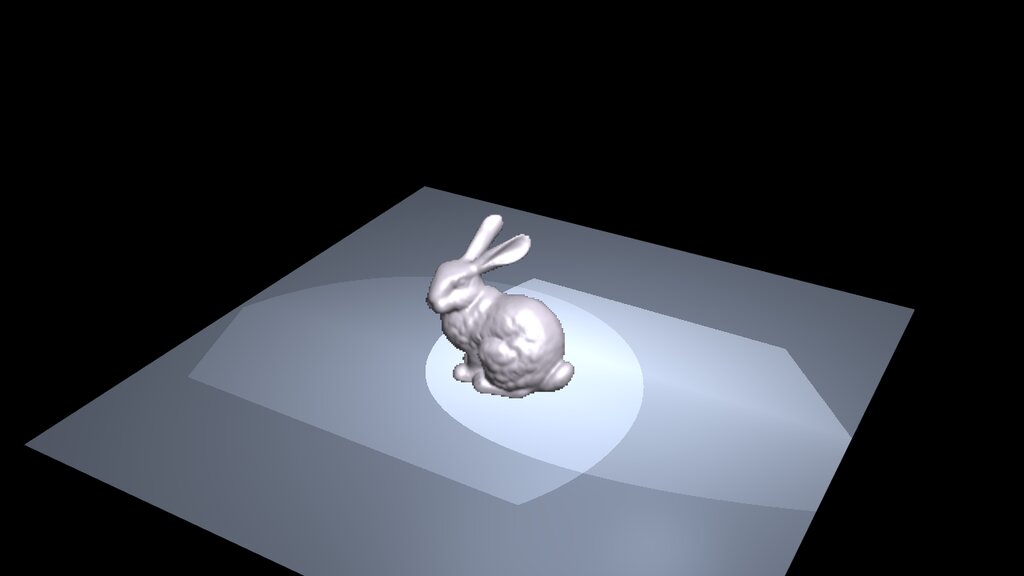
volren_bunny
The Stanford bunny as a volume: a signed-distance field raycast by
cvc::volren — exact marching-cubes isosurfaces, spline gradients,
volumetric and deep shadow maps — composited into the live VTK scene through a
depth-mapped quad, so scene geometry occludes the volume per pixel. Add up to
nine bunnies from the panel and drive resolution scale, anti-aliasing, lights
and shadows live. The raycast runs on the CPU in wasm; the resolution-scale
slider is the knob that trades sharpness for framerate.
volren_bunny_ari
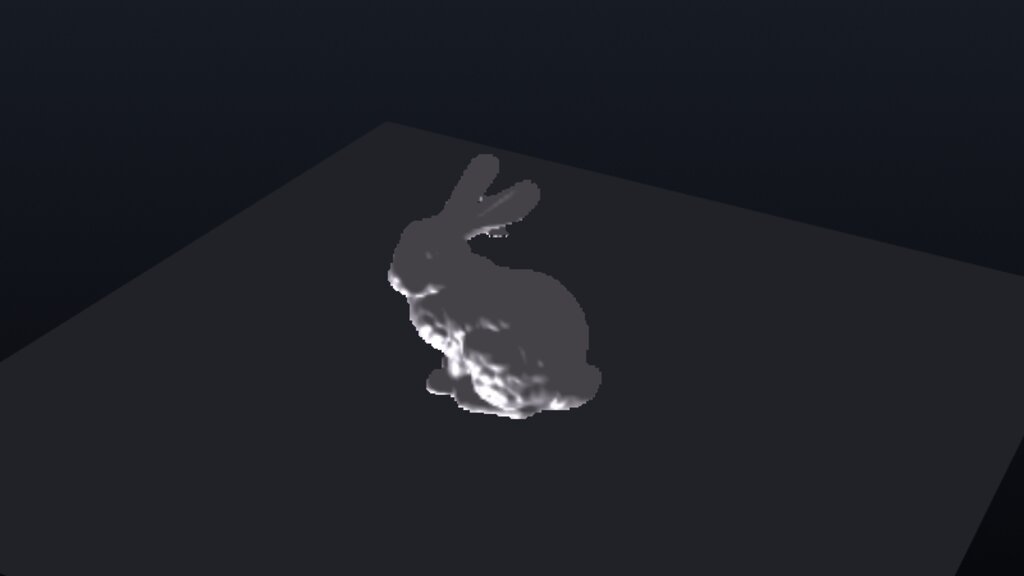
The same CPU-raycast bunny as volren_bunny, rebuilt in the
Ariadne UI DSL: the scene, lighting rig and raycast control
panel are all declared in a single .ari document — no
demo-specific C++, just the generic host. The volume is computed live in the
browser as the signed distance field of the embedded Stanford mesh via one
declarative source (source: { sdf: { mesh } }), and the controls
are reusable .ari components shared with the other bunny demo.
volslice_bunny
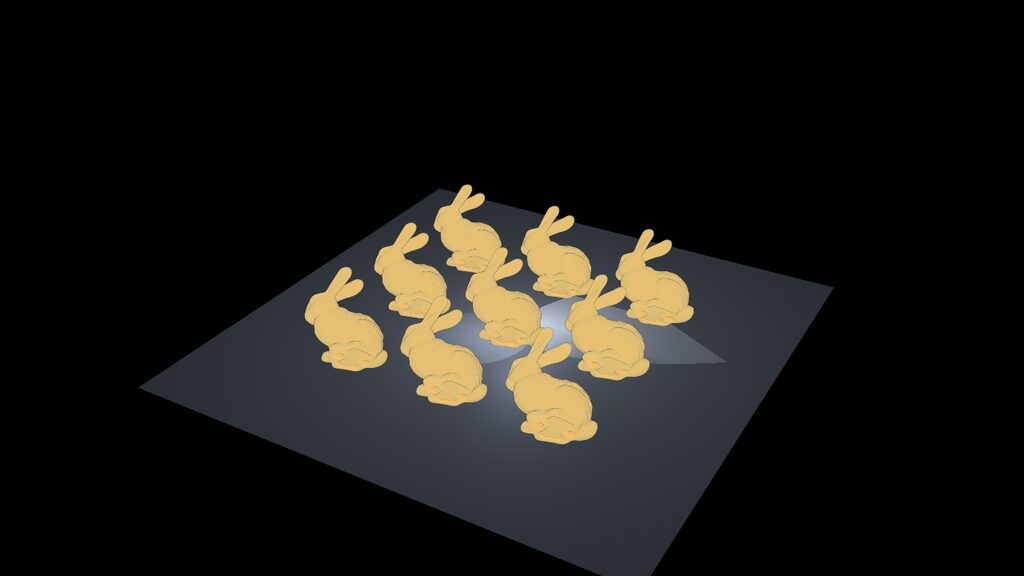
The classic view-aligned slice compositor from VolumeRover2, ported to
cvc::volslice: the bunny's distance volume windowed into a byte
texture and colored by a 256-entry transfer function, hundreds of
camera-facing slices blended back to front on the GPU — the volume
look that stays fast in the browser. Add up to nine bunnies — each is its
own scene-graph volume node, depth-sorted per frame — and drive quality
(the original VolumeRover2 slider), near-plane peel, the value window and
spacing-corrected opacity live in the panel.
volslice_bunny_ari
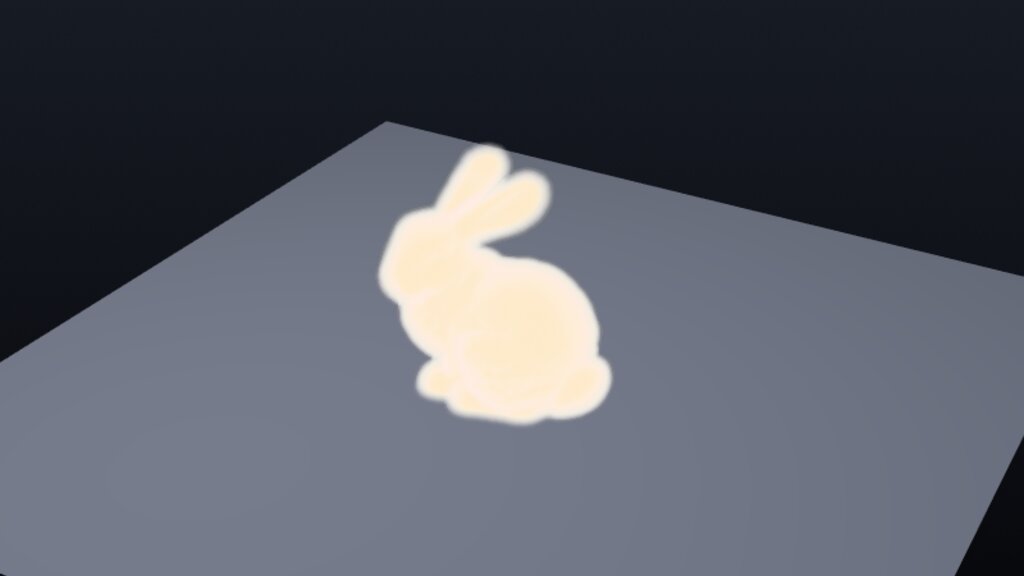
The slice-based bunny of volslice_bunny, rebuilt in the
Ariadne UI DSL: scene, transfer function, lighting and the
slice control panel declared in one .ari document, driven by the
generic host — no demo-specific C++. The volume is the signed distance field
of the embedded Stanford mesh (source: { sdf: { mesh } }),
computed in the browser, and the panel is built from the same reusable
.ari components as the other DSL bunny.
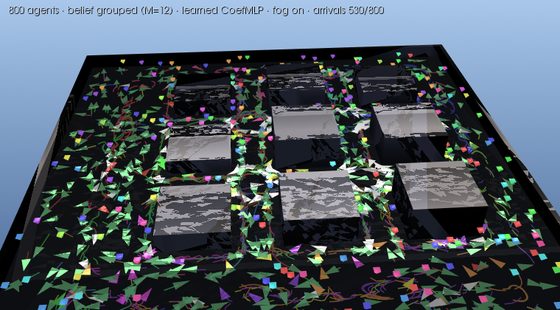
nav_city_swarm — Austin
The GRL-SNAM reactive swarm, now
driving through downtown Austin: real terrain elevation, extruded
buildings.glb geometry, 3 km × 3 km of Mapbox satellite draped
over the hills, and textured Humvee models per agent — no global plan,
grouped belief planes, group-coloured flags flying above each vehicle. A live
picture-in-picture ortho map in the corner lets you see the whole
fleet from above and click any dot to switch the chase-cam to that vehicle. The
entire scene bundle is a first-class cvcpkg asset
(scene-austin-south-web + vehicle-humvee). The
cvc::nav runtime — no Python, no libtorch.
Every parameter is live in the on-screen menu — agent count, belief mode, fog,
sensor range — and Apply / Restart rebuilds the world so you
can watch shared belief beat private belief on the same city. Press
2 for the top-down view.
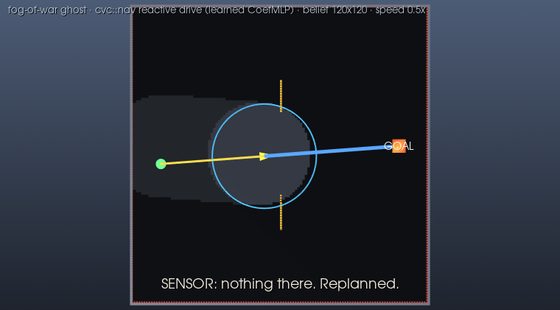
nav_fog_ghost
Fog of war: one vehicle believes a phantom wall its stale map shows but reality lacks. The ghost stands as a translucent amber 3-D wall that erodes cell by cell as the sensor clears it; the ground paints honest epistemics (never-seen black, remembered dim, in-view lit, belief as an LED grid), a blue plan line bows around the phantom vs the yellow driven trail, and a caption arc narrates the detour, the discovery, and the payoff. The menu switches between three limited-belief scenarios — ghost (a stale map lies), dynamic (the world changes after the plan is made) and traffic (other vehicles the map never had) — and restarts the run in place.
run it →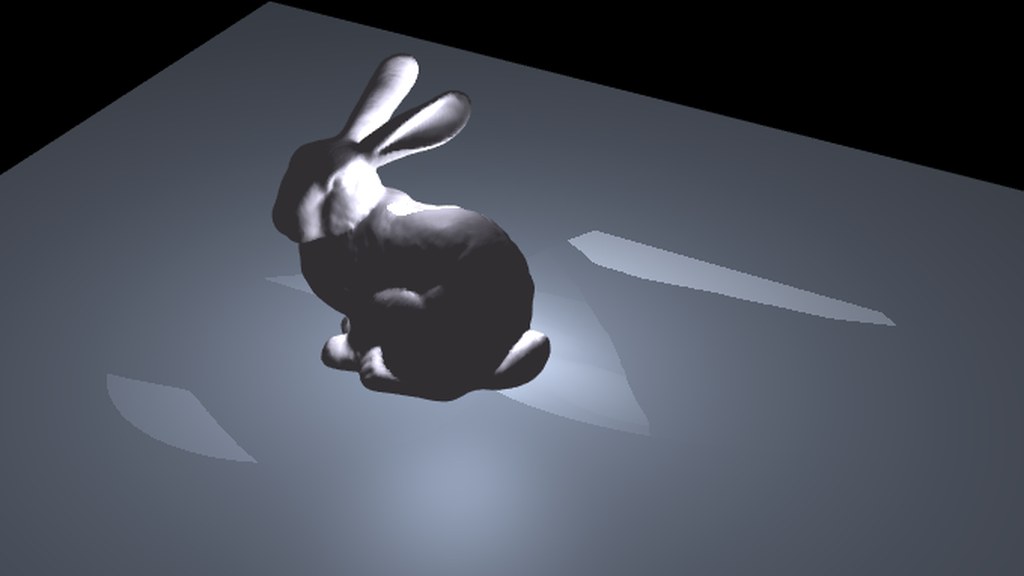
bunny_shadow
The smallest scene that tests a renderer honestly: one known-good mesh —
the Stanford bunny, ~69k triangles — on a ground plane under a
StageLighting rig. Shadow-map artefacts have nowhere to hide on a
single caster, so acne, peter-panning and a shadow in the wrong place are all
obvious. The rig frames a tight spot cone on the bunny, which is the whole
trick to a crisp shadow map: a directional light bakes over the entire scene
bounds and wastes texels, an aimed spot spends them on the subject.
Controls, menus and phones
Every demo above carries a real UI, not a text overlay. It is
Dear ImGui composited into VTK's own
framebuffer by cvc::gl::ImGuiOverlay, with widgets
(cvc::gl::ui) bound straight to cvc::state paths — so a
slider, a script and a replicated peer all write the same state node, and the
menus work identically native and in the browser.
- Desktop —
clickto focus,Tabto swap orbit/fly,WASD+mouse to fly,Escto release the pointer. The overlay only takes the mouse when the cursor is actually over a widget, so the camera never fights the UI. - Phones and tablets — pinch to zoom and
two fingers to pan, via
cvc::gl::TouchGestures. Single touches are deliberately left alone, so tapping a menu still works. (VTK's own wasm interactor mis-feeds multi-touch — it registers one pointer for two fingers, so its gesture recognizer never fires — which is why this layer exists.) - Fullscreen — the button in the header. It has to be an HTML
button: the wasm side runs inside
requestAnimationFrame, where the browser's transient-activation window has already closed and a fullscreen request is refused. - 2-D map views fit the whole map to your viewport and re-fit when you rotate the phone or enter fullscreen — a parallel projection's scale is a half-height, so fitting only that crops the sides of every portrait screen.
- Copy and paste work in text fields
(
cvc::gl::clipboard: X11 selections, NSPasteboard, Win32, andnavigator.clipboardin the browser).
How these builds work
Each example is a single self-contained .wasm (plus a small JS
loader) produced by emcmake from the normal libcvc CMake tree:
- The whole stack is compiled to wasm — the trimmed
cvccore (state tree, geometry/volume types), cvcGL's scene graph, VTK 9.5 with its rendering modules, Boost and zstd — all as static archives from the cvcpkg wasm channel (Emscripten SDK included:cvcpkg install emsdk). - Rendering is VTK's own WebAssembly backend:
vtkWebAssemblyOpenGLRenderWindowdraws with OpenGL ES 3 into a WebGL2 canvas, andvtkWebAssemblyRenderWindowInteractorfeeds it browser mouse/keyboard events. The example keeps its own simulation loop and yields to the browser each frame with Asyncify (emscripten_sleep) — the sameProcessEvents()-per-frame pattern the native build uses. - Multi-threaded on this site. These are the
-pthreadbuilds: the swarm simulation runs on a Web Worker sharing memory with the renderer, so a sim step no longer blocks a frame. That needsSharedArrayBuffer, which browsers only grant on a cross-origin-isolated page — this directory is served withCross-Origin-Opener-Policy: same-originandCross-Origin-Embedder-Policy: require-corp. GitHub Pages cannot send those headers, which is why the GitHub gallery runs the single-threaded variant of the same source — and why CyberPC Angel hosts the threaded builds here on Apache. - Everything is
cvc::state— camera pose and bindings, the FPS HUD, node poses — so the same scene is scriptable from native C++, Python (pycvc), or a debugger attached to the state tree.
Porting notes (what WebGL2 actually required)
The port needed three real fixes, all upstreamed to the libcvc / libcvc-deps trees; details in the PRs:
| Issue | Fix |
|---|---|
Under GLES3, VTK swaps in a different polydata mapper whose lighting
normal is normalizedNormalVCVSOutput; custom
//VTK::Normal::Impl shader replacements that assign the
desktop name write to an in varying — an ESSL error that
NVIDIA's desktop compiler silently tolerates. |
The example selects the mapper variant's writable normal at compile time; desktop GLSL is unchanged. |
VTK's volume ray-cast shader composer emits mat4 globals
initialized from uniforms — illegal in ESSL 3.00, killing every
shaded/scattering volume (the sea and the clouds). |
A small VTK patch moves the assignments into an init helper called at the top of the ray-cast setup. |
Boost refuses to compile without -pthread, but a
single-threaded wasm build must not use it. |
Build against Emscripten's single-threaded pthread stubs
(BOOST_HAS_PTHREADS), skip the scene's publisher thread, and
drain its queue from the frame loop. |
Build it yourself
# toolchain + wasm deps straight from the cvcpkg catalog
cvcpkg install emsdk --platform linux --prefix ./emsdk
cvcpkg install boost zstd cgal --platform wasm --arch wasm32 --link static --prefix ./deps-wasm
# vtk needs the rendering-enabled wasm build (libcvc-deps: recipes/vtk, >= 9.5.0+cvc.3)
cvcpkg build vtk --platform wasm --local --prefix ./deps-wasm

# then, from the libcvc repo root:
CVC_EMSDK_DIR=$PWD/emsdk CVC_WASM_DEPS=$PWD/deps-wasm \
  ./src/cvcGL/examples/wasm/build-wasm-demo.sh
python3 -m http.server -d build-wasm/bin 8811
Or, once the bundles are published, as a package:
cvcpkg install cvcgl-examples --prefix ./deps
cvcpkg install cvcgl-examples --platform wasm --arch wasm32 --link static --prefix ./deps
./deps/bin/cvcgl-examples-web   # serves the demo and opens your browser